Scan Smarter with
NeuroScans
The intelligent document scanner that combines AI-powered OCR, AES-256 encrypted vault, PDF password protection, and 10+ professional tools — all in one app.


Everything You Need to Go Paperless
Powerful tools that work together to scan, organize, secure, and transform your documents.
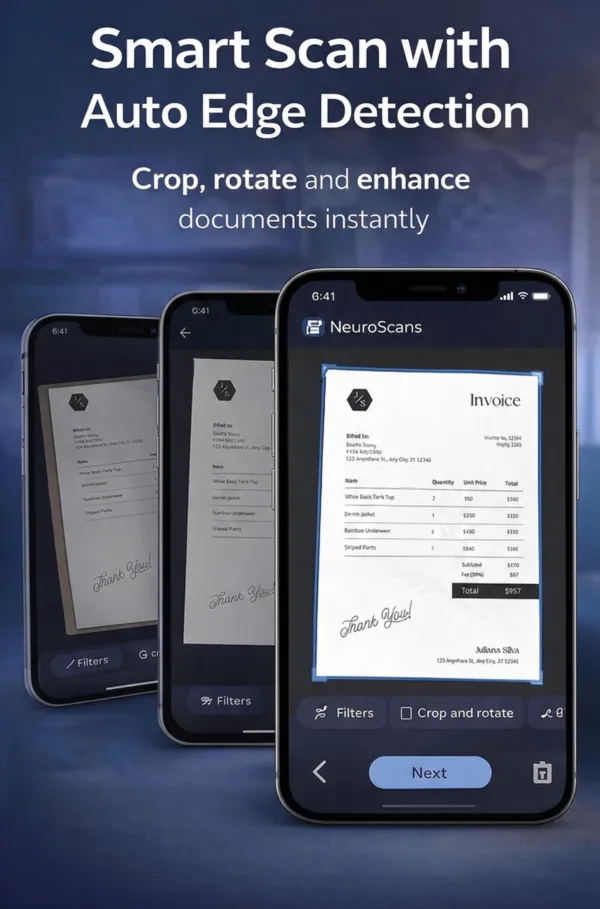
Smart Document Scanning
Auto edge detection, perspective correction, and multi-page scanning. Capture documents, whiteboards, and business cards with a single tap.
AI-Powered OCR
Extract text from any image or scanned document using Google ML Kit with image preprocessing for maximum accuracy. Search, copy, and export text instantly.
Smart Organization
Auto-categorize documents with AI. Create custom categories with colors and icons. Star favorites and sort by date, name, size, or type.
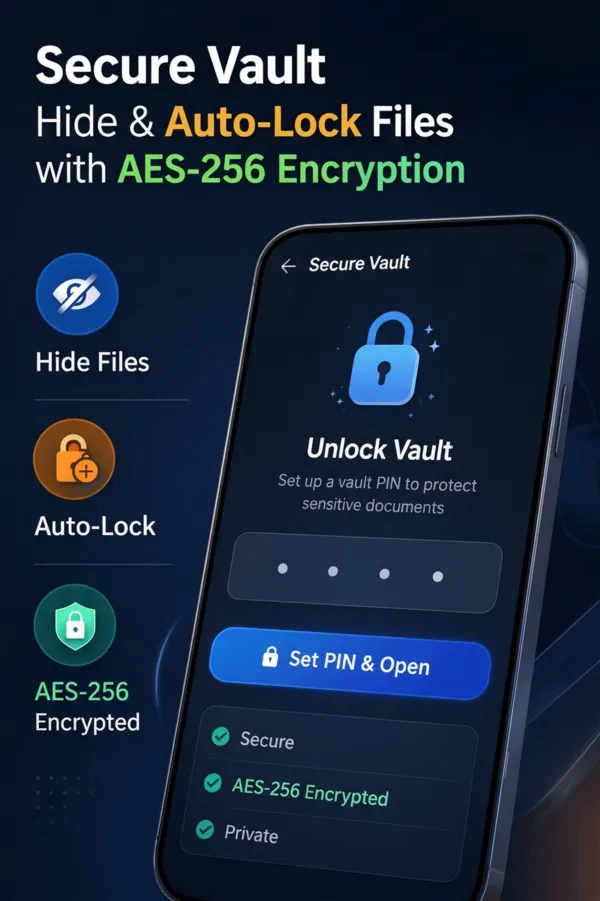
AES-256 Encrypted Vault
Protect sensitive documents with PIN-secured vault and AES-256-CBC encryption at rest. Files are unreadable without unlocking. Configurable auto-lock from 10s to 15 minutes.
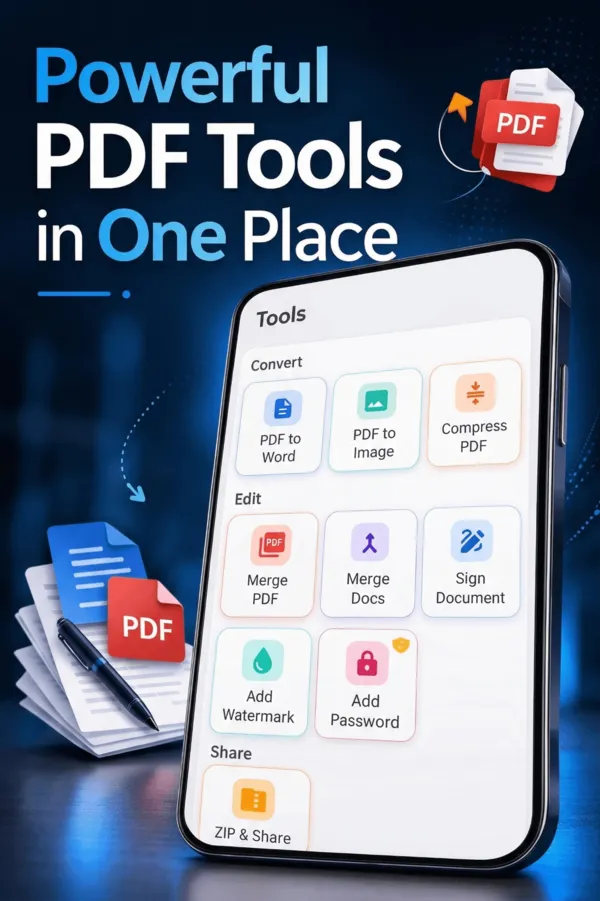
PDF Tools Suite
Merge PDFs, compress files, convert PDF to Word or images, add watermarks, and protect with passwords. All processing happens on-device.
Digital Signatures
Draw and place signatures anywhere on your documents. Position, resize, and rotate for pixel-perfect placement on PDFs and images.
PDF Password Protection
Add password protection to PDF files. Password-protected documents require authentication every time they are opened, even within the app.
AI Object Counting
Count pills, coins, screws, and more from a photo using AI-powered detection. Perfect for inventory, pharmacy, and manufacturing use cases.
Watermarks
Add custom text watermarks to documents. Control position, opacity, density, and fill mode. Protect your documents from unauthorized use.
Image Filters
Apply Color, Black & White, or Enhanced filters to scanned pages. Rotate and adjust images for the perfect scan every time.
Import PDF
Import existing PDFs from your device storage or download directly from a URL. Seamlessly add external documents into your NeuroScans library.
Insights & Analytics
Track your document collection with visual statistics. See storage breakdown by category, document counts, and monthly trends.
Military-Grade Document Security
NeuroScans encrypts vault files with AES-256-CBC — the same standard used by banks and governments. Keys are stored in hardware-backed secure storage. No cloud uploads, no accounts required.
- ✓ AES-256-CBC encrypted vault at rest
- ✓ PIN-protected with hardware-backed key storage
- ✓ PDF password protection for individual files
- ✓ Configurable auto-lock timeout
- ✓ All processing happens on-device
- ✓ No cloud uploads or tracking
- ✓ Hide vault files when locked
- ✓ Device-based identity — no login needed
Professional PDF & Document Tools
A complete toolkit for your documents — merge, compress, convert, protect, sign, and watermark. Everything runs on-device for maximum speed and privacy.
Speaks Your Language
NeuroScans automatically detects your device language and adapts the entire interface.
Ready to Go Paperless?
Join thousands of users who scan, organize, and protect their documents with NeuroScans.