The free document scanner.
Nothing locked away.
OCR, encrypted vault, PDF password, signatures, watermarks — every tool unlocked from day one. We support the app with ads; one tap removes them.


- No subscription
- No account
- 100% on-device
Every Feature, Free for Everyone
Everything you'd expect from a paid scanner — and nothing locked behind a subscription.
Every Feature, Free
No premium tier, no paywalls, no trial that expires. The vault, OCR, PDF password, watermarks — everything is yours from day one. We keep the lights on with optional ads.
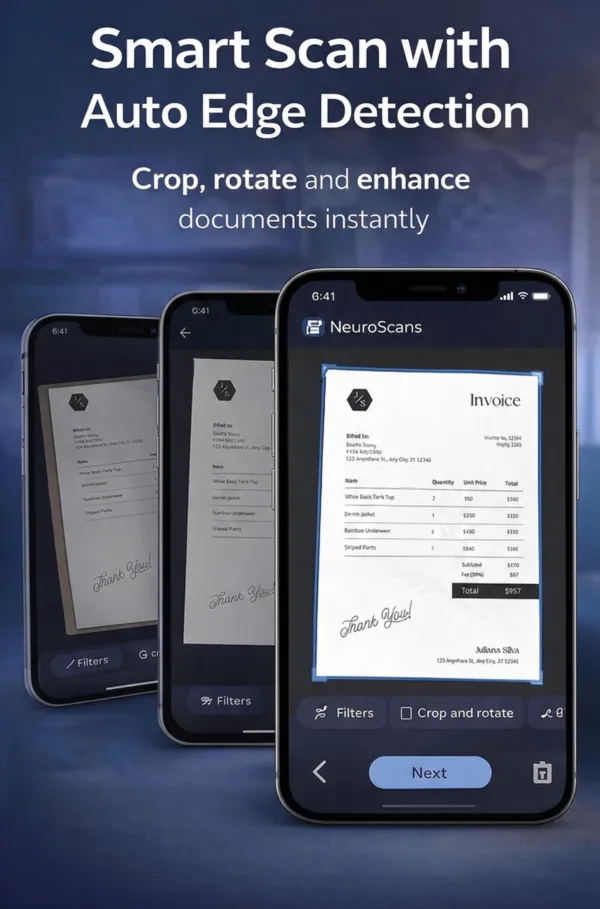
Smart Document Scanning
Auto edge detection, perspective correction, and multi-page scanning. Capture documents, whiteboards, and business cards with a single tap.
AI-Powered OCR
Extract text from any image or scanned document using Google ML Kit with image preprocessing for maximum accuracy. Search, copy, and export text instantly — free for everyone.
Smart Organization
Auto-categorize documents with AI. Create custom categories with colors and icons. Star favorites and sort by date, name, size, or type.
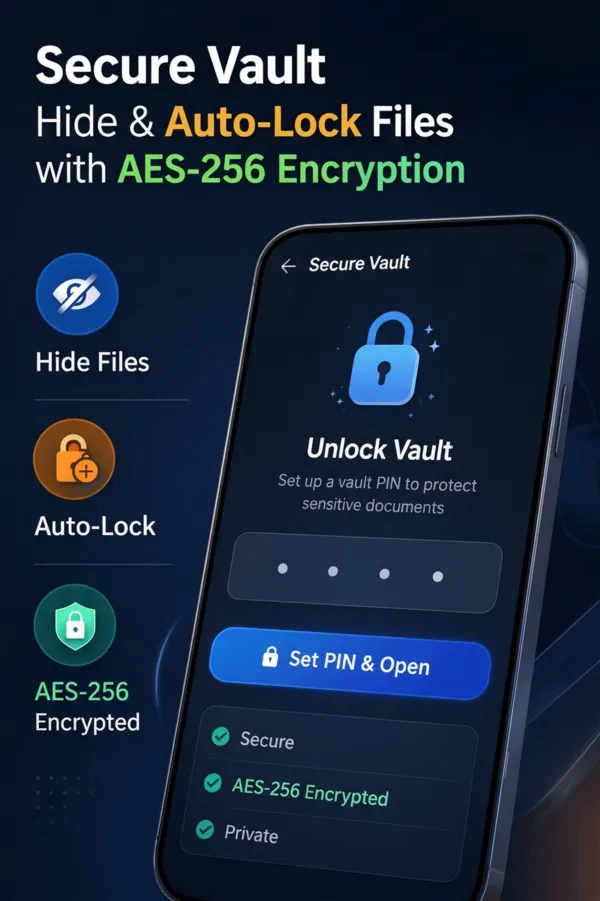
AES-256 Encrypted Vault
Free, PIN-secured vault with AES-256-CBC encryption at rest. Files are unreadable without unlocking. Configurable auto-lock from 10s to 15 minutes. No subscription needed.
PDF Tools Suite
Merge PDFs, compress files, convert PDF to Word or images, add watermarks, and protect with passwords. All processing happens on-device.
Digital Signatures
Draw and place signatures anywhere on your documents. Position, resize, and rotate for pixel-perfect placement on PDFs and images.
PDF Password Protection
Add password protection to PDF files for free — no upgrade required. Password-protected documents require authentication every time they are opened, even within the app.
Watermarks
Add custom text watermarks to documents. Control position, opacity, density, and fill mode. Protect your documents from unauthorized use.
Image Filters
Apply Color, Black & White, or Enhanced filters to scanned pages. Rotate and adjust images for the perfect scan every time.
Import PDF
Import existing PDFs from your device storage or download directly from a URL. Seamlessly add external documents into your NeuroScans library.
Insights & Analytics
Track your document collection with visual statistics. See storage breakdown by category, document counts, and monthly trends.
Free Vault. Military-Grade Security.
Most scanner apps lock their vault behind a subscription. We don't. NeuroScans encrypts vault files with AES-256-CBC — the same standard used by banks and governments — and gives it to every user for free. Keys are stored in hardware-backed secure storage. No cloud uploads, no accounts required.
- ✓ Encrypted vault — free, no premium tier
- ✓ AES-256-CBC encryption at rest
- ✓ PIN-protected with hardware-backed key storage
- ✓ PDF password protection — also free
- ✓ Configurable auto-lock timeout
- ✓ All processing happens on-device
- ✓ No cloud uploads or tracking
- ✓ Device-based identity — no login needed
Speaks Your Language
NeuroScans automatically detects your device language and adapts the entire interface.
Compared with Other Scanner Apps
See how NeuroScans stacks up against the popular paid alternatives — feature by feature.
Download Free. Use Everything.
No subscription. No premium tier. No trial that runs out. Just a scanner that gives you every feature, free.